Click or Drag-n-Drop
PNG, JPG or GIF, Up-to 2048 x 2048 px
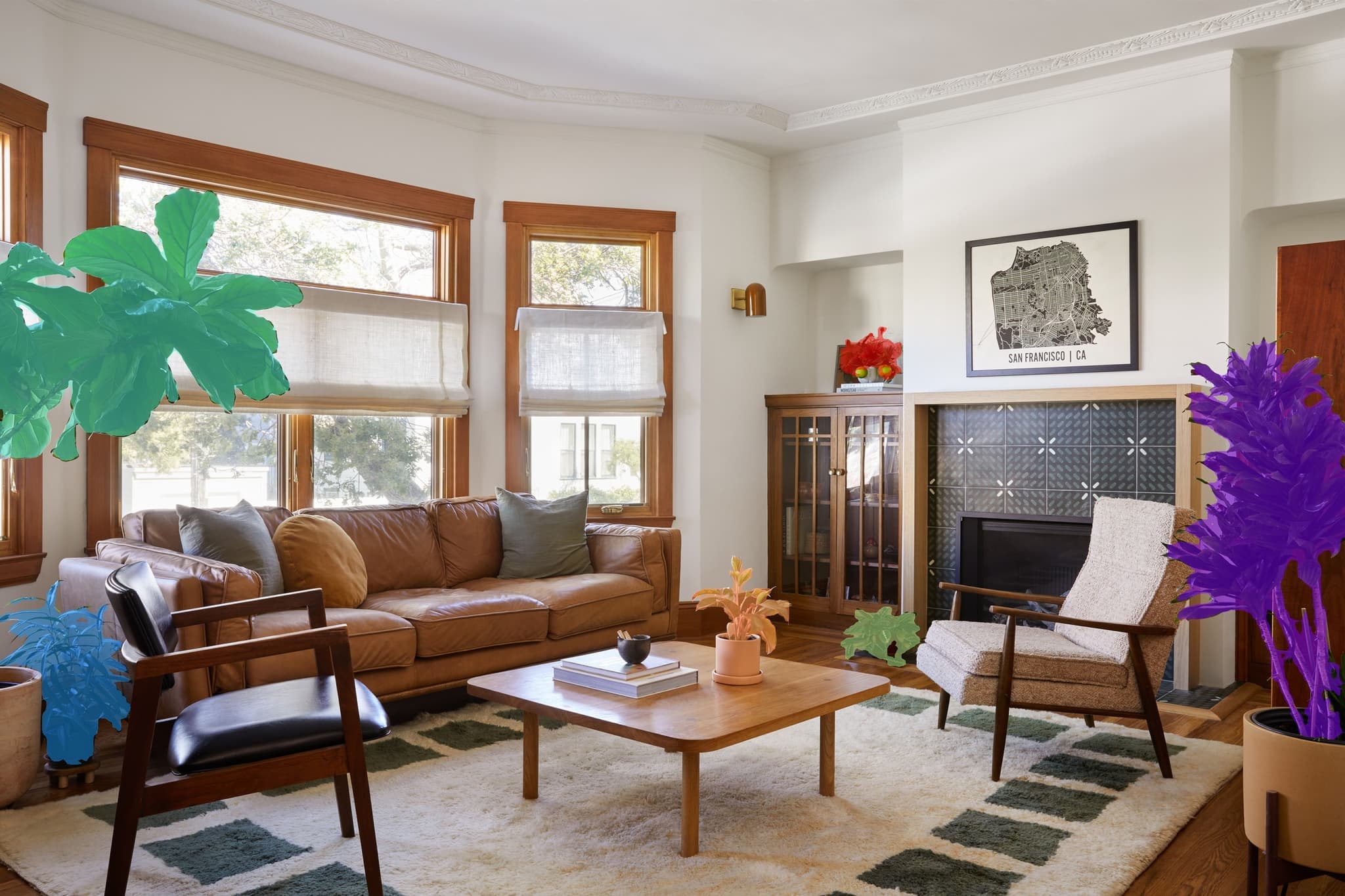
Get combined preview mask. Useful for quick results checks.
Get overlays on input image. Useful for visual assessments
Return each mask separately
SAM3: Promptable Segmentation Model for Images
Edited by Segmind Team on December 10, 2025.
What is SAM3?
SAM3 (Segment Anything Model 3) is an advanced model designed for next-generation object segmentation and tracking in both images and videos. It is Meta’s newest foundation AI model, which rides on the success and strengths of SAM2, bringing in robust open-vocabulary capabilities. Using this sophisticated tool, the users can virtually segment any object using natural language prompts, visual cues such as points or bounding boxes, or even mask inputs. SAM3 exceptionally delivers near-human precision on challenging segmentation tasks, offering remarkable versatility through its multi-modal prompting approach; therefore, it can handle complex tasks ranging from developing computer vision systems to annotation pipelines, or advanced video editing tools.
SAM3 is available in three variants: Core SAM3 for concept-driven segmentation, SAM3 Video for temporal object tracking across frames, and SAM3 Tracker for precise instance segmentation with interactive refinement.
Key Features of SAM3
- Multi-Modal Prompting: It is designed to precisely segment objects using text descriptions, coordinate points, bounding boxes, or mask inputs; you may experiment with these options for optimal results.
- Open-Vocabulary Segmentation: It can accurately detect and segment all instances matching natural language phrases across diverse object categories.
- Video Object Tracking: It tracks multiple object instances consistently across video frames with temporal coherence.
- Interactive Refinement: It can iteratively improve segmentation quality using foreground or background point labels.
- High-Resolution Support: It can effectively process detailed images for pixel-perfect segmentation accuracy.
- Flexible Output Options: It gives the flexibility to choose between preview masks, overlays, or individual mask outputs based on your workflow needs.
Best Use Cases
- Content Creation & Editing: Use it to remove backgrounds, isolate subjects, or apply selective effects in photo and video editing.
- Autonomous Systems: It offers high-efficiency object detection and tracking for robotics, self-driving vehicles, and surveillance applications.
- Medical Imaging: It can segment anatomical structures, lesions, or regions of interest for diagnostic and research purposes.
- E-commerce & Retail: It can be used to automate product photography workflows, generate clean cutouts, or create virtual try-on experiences.
- Annotation & Labeling: It significantly accelerates dataset creation for machine learning projects with semi-automated segmentation tools.
- AR/VR Development: It is a perfect model to build immersive experiences with real-time object isolation and spatial understanding.
Prompt Tips and Output Quality
Text Prompts: The prompts should have clear, specific nouns (e.g., "truck", "person wearing a hat", "red flower") rather than vague descriptions; the model closely matches all instances of the concept that is described in the prompt.
Point Prompts: Place foreground points (label=1) inside target objects and background points (label=0) outside. Multiple points improve boundary accuracy for ambiguous regions.
Bounding Box Strategy: Define boxes as **[x_min, y_min, x_max, y_max]** coordinates; boxes work best for well-defined objects with clear boundaries.
Tuning Key Parameters:
- Threshold (0.5 default): Lower values (0.3–0.4) capture more instances but may introduce false positives; you can raise the value to 0.7+ for precision over recall.
- Points Per Side: Increase from 32 to 64+ for images with fine details or small objects.
- Pred IoU Threshold (0.88 default): Filters low-quality predictions: reduce the value to 0.7 if valid segments are missing.
Combining Prompts: Layer text + boxes + points for maximum control. Start broad with text, refine with boxes, then fine-tune boundaries with points.
FAQs
Is SAM3 open-source?
SAM3 is developed by Meta AI. You should check Meta's official repository for licensing details; earlier SAM models were released with permissive licenses for research and commercial use.
How does SAM3 differ from SAM2?
SAM3 significantly expands open-vocabulary capabilities, i.e, it can segment objects based on text descriptions more accurately across diverse concepts. It also improves multi-instance detection when multiple objects match your prompt.
What image resolution should I use?
Higher resolutions (1024px+ on the longest side) result in better accuracy with segmentation, especially when the original input includes small objects or fine details. Also, the model automatically handles scaling.
Can I use SAM3 for real-time video processing?
The SAM3 Video variant supports frame-by-frame tracking, but real-time performance depends on hardware and resolution. You may optimize it for desired outputs by batching frames or using lower points_per_side values.
What's the difference between return_preview, return_overlay, and return_masks?
The return_preview option gives a single combined mask image; return_overlay blends masks onto your input for visualization; and return_masks provides separate binary masks for each detected instance. These options support tasks with programmatic post-processing.
Should I use points or boxes for better accuracy?
Boxes are faster and work well for distinct objects. On the other hand, points offer precise control for irregular shapes or when refining specific boundaries. You can effectively combine both options for complex scenes.
Popular Models