Click or Drag-n-Drop
PNG, JPG or GIF, Up-to 2048 x 2048 px
Click or Drag-n-Drop
PNG, JPG or GIF, Up-to 2048 x 2048 px
Click or Drag-n-Drop
PNG, JPG or GIF, Up-to 2048 x 2048 px
Next Scene Qwen Image LoRA 2509: Cinematic Image-to-Image Model
What is Next Scene Qwen Image LoRA 2509?
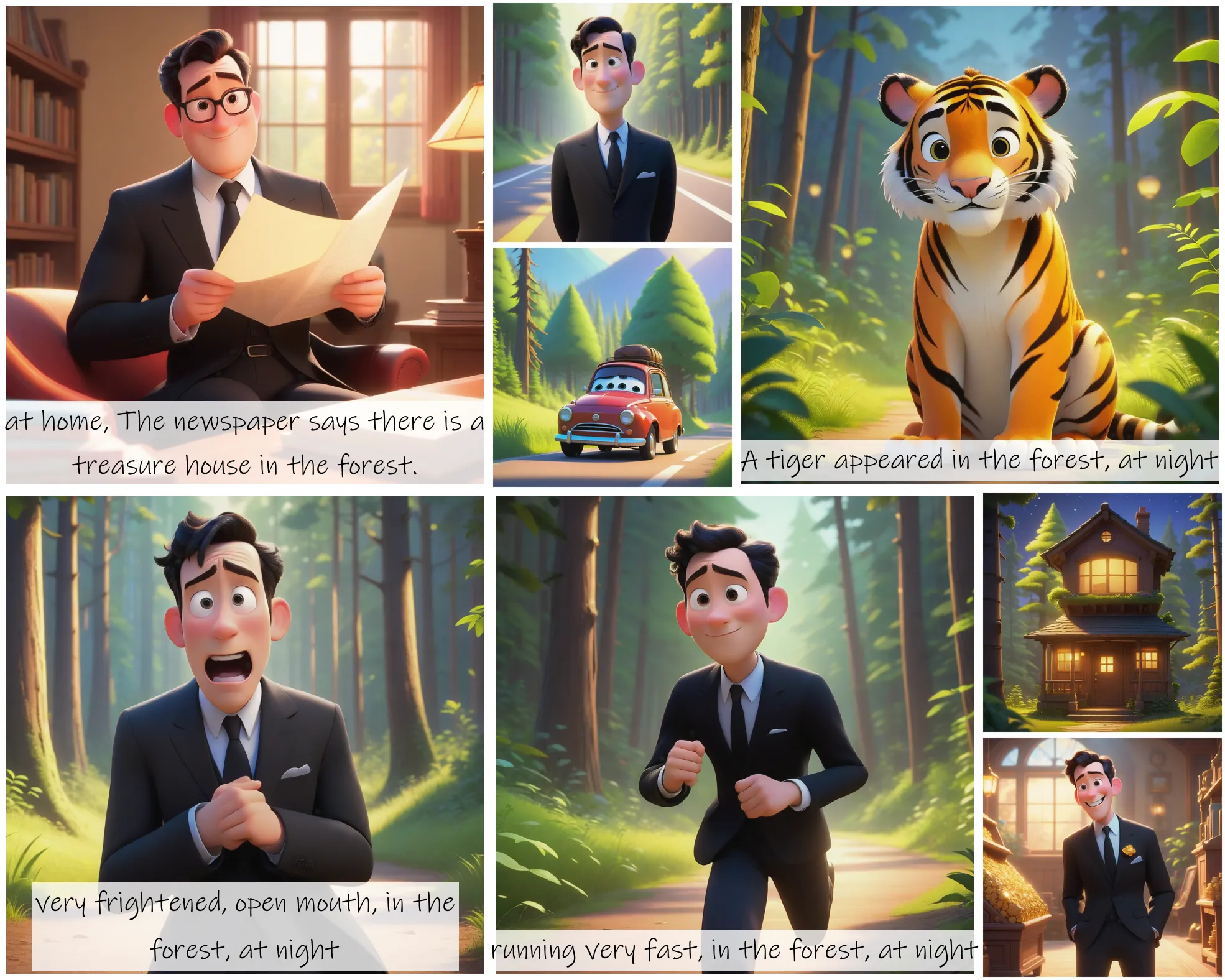
Next Scene Qwen Image LoRA 2509 is a specialized LoRA adapter built on the Qwen-Image-Edit 2509 base model, designed for cinematic image-to-image generation. Unlike traditional image editing models that focus on isolated transformations, this model thinks like a film director—creating sequential frames with natural visual flow, camera movement simulation, and atmospheric progression. It excels at maintaining storytelling coherence across multiple images, making it ideal for AI-driven video pipelines, cinematic storyboards, and evolving concept art. Version 2 brings improved prompt responsiveness, enhanced image quality, and artifact elimination, positioning it as a production-ready tool for narrative-focused workflows.
Key Features
- Cinematic Sequence Generation: Creates naturally flowing frames that mimic camera movements, framing changes, and environmental reveals
- Multi-Image Input Support: Processes up to three input images simultaneously for complex scene transitions and blending
- Advanced LoRA Flexibility: Supports multiple LoRA models (up to 3) for style adaptation and complex edits
- Production-Grade Output: Delivers high-quality images (up to 100 quality setting) in JPEG, PNG, or WebP formats
- Flexible Aspect Ratios: Supports 11 aspect ratios including cinematic 21:9, standard 16:9, and "match_input_image" for seamless continuity
- ComfyUI Integration: Designed for seamless integration with ComfyUI and similar multi-frame workflow pipelines
- Reproducible Results: Seed control (range: -1 to 2,147,483,647) enables consistent output across iterations
Best Use Cases
Film & Video Production: Generate storyboards with consistent visual continuity, pre-visualize camera movements, and create animatics for client presentations.
Game Development: Design environment progression sequences, create level transition mockups, and visualize narrative scene evolution.
Advertising & Marketing: Produce product reveal sequences, location-based campaign variations, and time-lapse concept visualizations.
Comic & Graphic Novel Creation: Maintain character consistency across panels while showing environmental and atmospheric changes.
Architectural Visualization: Showcase building designs through different times of day, weather conditions, or seasonal changes with seamless transitions.
Prompt Tips and Output Quality
Writing Effective Prompts: Be specific about directorial intent—instead of "sunset scene," try "camera pulls back revealing sunset through warehouse windows, warm orange light flooding concrete floor." Include cinematic language: "tracking shot," "rack focus," "ambient lighting changes."
Multi-Image Workflows: When using multiple input images, describe the narrative connection in your prompt: "transition from image_1's interior to image_2's exterior, maintaining color palette and atmospheric mood."
Quality Optimization: Use PNG format with quality set to 95-100 for final outputs. Set aspect ratio to "match_input_image" when maintaining exact dimensions is critical. Lock your seed once you find a promising result, then iterate on prompt variations.
Parameter Impact: The pre-configured "next_scene" LoRA is optimized for forward-looking transformations—avoid overriding it unless you're blending specific artistic styles via lora_2_url or lora_3_url.
FAQs
What makes this model different from standard image-to-image models?
Unlike traditional image editors that treat each output independently, Next Scene Qwen maintains visual and narrative continuity across frames. It's trained to understand cinematic progression—camera movements, lighting transitions, and spatial relationships—making it ideal for sequential storytelling rather than isolated edits.
Is Next Scene Qwen Image LoRA open-source?
The model is a specialized LoRA adapter built on Qwen-Image-Edit 2509. Access and licensing details are available through Segmind's platform, which provides managed deployment and API access.
Can I use this for single-image generation, or does it require sequences?
While optimized for multi-frame workflows, the model works excellently for single-image transformations when you want cinematic quality—dramatic lighting, atmospheric depth, or camera-angle simulations.
What parameters should I tweak for best results?
Start with these settings: quality at 95, seed locked for consistency during prompt experimentation, and aspect_ratio matching your target output or pipeline requirements. Only add secondary LoRAs (lora_2_url, lora_3_url) when you need specific artistic style overlays.
How many images can I input at once?
The model supports up to three simultaneous image inputs (image_1, image_2, image_3), enabling complex scene blending, multi-angle compositing, or context-rich transformations.
Does this work with ComfyUI and other pipeline tools?
Yes. The model is specifically designed for integration with ComfyUI and similar nodes-based workflows, making it easy to chain multiple transformations and build automated video generation pipelines.
Popular Models