Click or Drag-n-Drop
PNG, JPG or GIF, Up-to 2048 x 2048 px
Click or Drag-n-Drop
PNG, JPG or GIF, Up-to 2048 x 2048 px
Click or Drag-n-Drop
PNG, JPG or GIF, Up-to 2048 x 2048 px
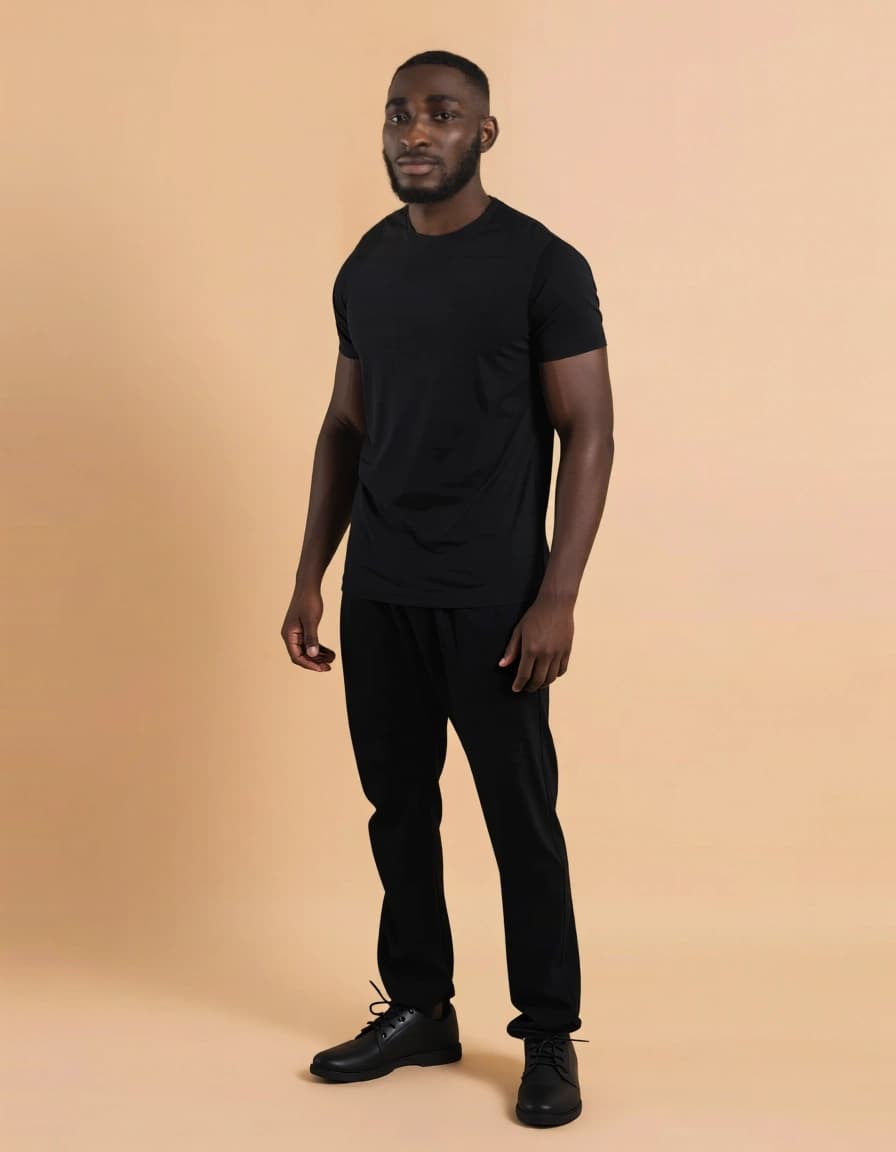
Qwen-Image-Edit-F2P: Face-to-Portrait Image Generation Model
Edited by Segmind Team on November 26, 2025.
What is Qwen-Image-Edit-F2P?
Qwen-Image-Edit-F2P is an AI-powered model developed by DiffSynth-Studio that converts cropped facial inputs into complete, high-resolution portrait photographs. It excels in face-controlled generation by using a single facial image to create full-body or upper-body portraits, ensuring the person’s facial identity and features are perfectly retained to produce photorealistic portraits. It utilizes the Qwen-Image-Edit architecture and combines multiple integrated components, making it a reliable option for creative portrait synthesis, character design, and personalized media creation.
Qwen-Image-Edit-F2P is also integrated with built-in face detection that supports automatic cropping to simplify workflows for developers working with diverse image inputs. Therefore, Qwen-Image-Edit-F2P ensures consistent and lifelike face-to-portrait transformations in various creative tasks, including building a profile picture generator, designing a virtual character, or enhancing portraits.
Key Features of Qwen-Image-Edit-F2P
- Identity-Preserving Generation: It maintains facial features and identity across different portrait styles and contexts.
- Face Auto-Cropping: It is integrated with a face detector that automatically handles input preparation.
- Multi-Image Support: It is designed to accept up to three reference images for complex edits and blending.
- LoRA Integration: It has a built-in "face_to_portrait" LoRA with support for custom LoRA URLs for style customization.
- Flexible Output Control: It supports 11 aspect ratio options, including input-matching mode.
- Reproducible Results: Its seed control ensures consistent outputs across generations.
- Production-Ready Formats: It also supports JPEG, PNG, and WebP with adjustable quality settings.
Best Use Cases
-
Content Creation & Marketing: It is perfect to generate professional headshots, social media avatars, and brand ambassador imagery from simple face photos.
-
Gaming & Entertainment: It can be used to create character portraits for games, visual novels, or interactive fiction while maintaining character identity.
-
E-commerce & Fashion: It is capable of producing model shots and lookbook imagery by transforming face references into full portraits wearing different styles.
-
Social Applications: It can design power profile picture generators, avatar creators, and personalized virtual identity tools.
-
Creative Studios: It enables rapid prototyping of character designs and portrait concepts for concept art workflows.
Prompt Tips and Output Quality
-
Effective Prompting: Use descriptive prompts that also concisely specify portrait style, lighting, and context. Example: "Professional headshot with soft studio lighting, corporate attire, neutral background" works better than generic descriptions.
-
Image Input Best Practices: Provide clear, well-lit facial images for superior results. The model accepts multiple images, so use image_2 and image_3 for reference poses or style blending. Additionally, higher resolution inputs with well-cropped faces will render precise detail.
-
Quality Parameters: Set quality between 85-100 for production workflow, while using aspect_ratio "match_input_image" to preserve original proportions, or choose specific ratios like "2:3" for standard portrait formats.
-
Seed Control: Lock the seed value once you achieve desired results to maintain consistency across iterations while adjusting only the prompt.
-
LoRA Customization: The default "face_to_portrait" LoRA produces photorealistic portraits; experiment with custom LoRA URLs (lora_2_url, lora_3_url) to add a touch of artistic styles or specific aesthetic modifications.
FAQs
Is Qwen-Image-Edit-F2P open-source?
The Qwen-Image-Edit-F2P is available through Segmind's API platform. You can further check DiffSynth-Studio's repository for licensing details on the base architecture.
How does this differ from standard text-to-image models?
This model specializes in "face-controlled generation" to preserve facial identity while creating full portraits, making it superior for applications requiring person-specific outputs.
What aspect ratio should I use for social media profiles?
Use "1:1" for Instagram/ X avatars; "2:3" for LinkedIn profiles; and "9:16" for TikTok or vertical platform content.
Can I generate images without providing a face photo?
No, Qwen-Image-Edit-F2P requires at least one facial image input (image_1) to generate portraits. It is optimized for "face-to-portrait" transformation, in addition to the text-only generation.
What parameters affect output quality most?
Image input quality is vital for high-quality results, so it is recommended to use clear, well-lit faces for the best results. The "quality" parameter (recommended: 90-95) and prompt specificity directly impact final fidelity.
How do I ensure consistent results across multiple generations?
Set a fixed seed value and maintain the same prompt structure to generate reproducible outputs while allowing incremental prompt refinements.
Popular Models



